
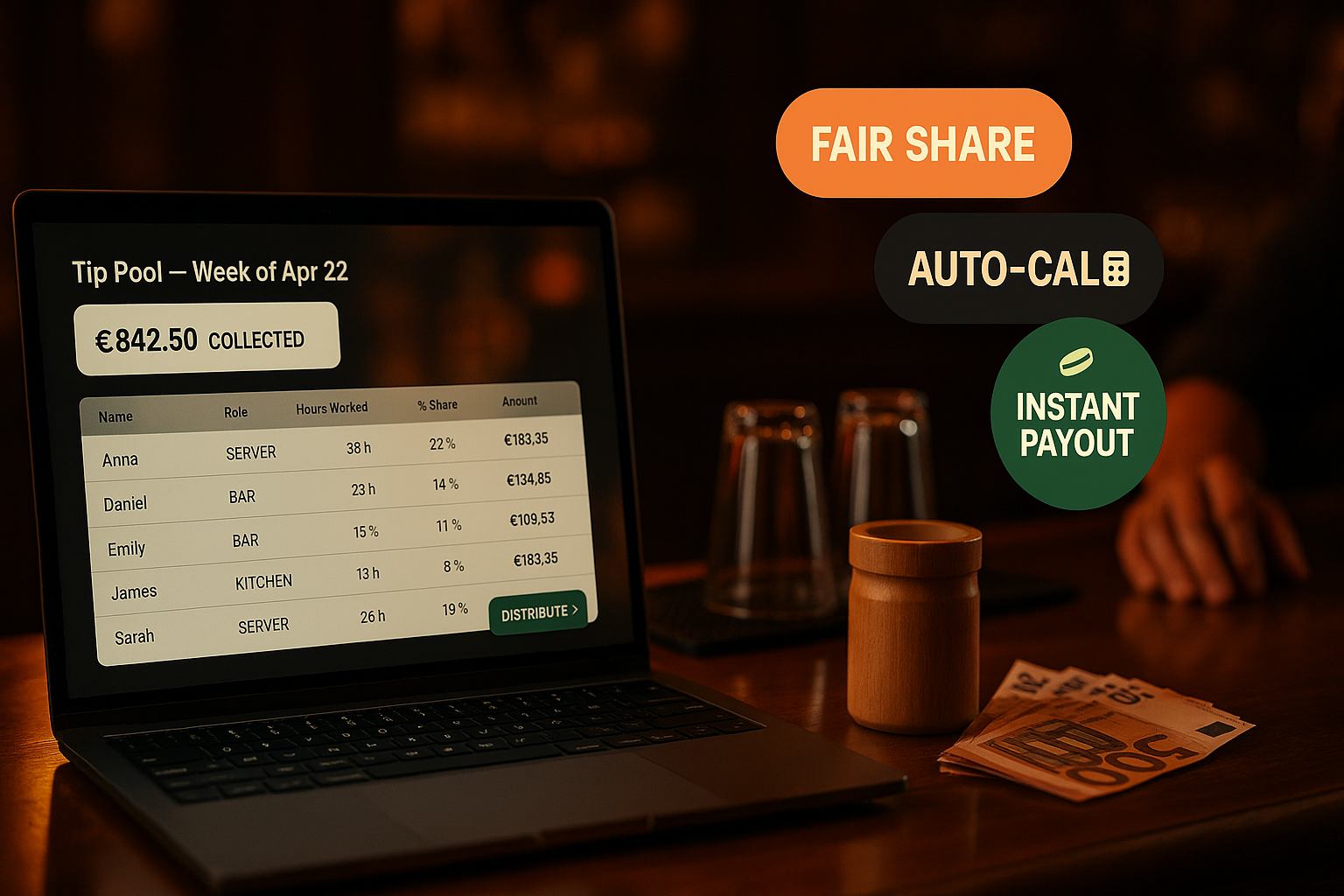
Tip Pool — Distribute tips by role and clocked hours, atomically
Open a tip pool for a period, define percentage splits per role (60% servers / 30% kitchen / 10% bar), and the platform distributes the total across staff in proportion to their clocked hours in each role. One transaction, one audit row, zero spreadsheets.
What is a tip pool in Ordering.Tools?
A tip pool is a single distribution event for a defined period — typically a shift, a day, or a week. You open the pool with a periodStart and periodEnd; the platform sums every COMPLETED BillPayment.tipAmount in that window; you bind a TipDistributionRule (configurable percentage per role, summing to 100); and on Distribute the platform writes per-staff TipPoolDistribution rows in proportion to each staff member's clocked hours in their role during the period. Pool moves OPEN → DISTRIBUTED → LOCKED.
The whole transaction is atomic. The total, the rule, the per-staff splits, and the StaffAuditLog row all land in a single $transaction — there's no half-distributed state, no partial rows, no 'tip pool is in a weird state' bugs. After distribution, lock the pool to prevent further mutation. The data the venue exports for payroll matches what staff see on their own My Wages page, by design.
Why this is the tip-pool layer your team will trust
Atomic distribution, no half-states
The pool moves OPEN → DISTRIBUTED in a single $transaction with the per-staff rows. If anything fails, nothing applies. No half-distributed pools, no orphan rows, no manual cleanups.
Distribution by hours-in-role, not headcount
Two servers worked the same Friday — one for 4 hours, one for 8. Headcount-based splits give them the same share, which feels unfair. Hours-in-role splits give the 8-hour server twice the share. The math is transparent; staff can verify their own row.
Configurable rules, no preset bias
Percentage splits per role (SERVER, KITCHEN, BAR, HOST) are venue-configurable. Sum across roles must equal 100 — enforced at the API layer. We don't pre-load a 'default' split because tip-pool ethics differ by country and venue type.
Source from BillPayment.tipAmount, never invented
The pool total is a sum over completed BillPayments in the period — the same canonical source the operator already uses for payment reports. Tips get to staff exactly the way the customer paid them; no double-counting, no missed channels.
How the tip pool works
Define the distribution rule
Open Staff → Tip Pool → Rules. Create a rule with a name (e.g. 'Standard 60/30/10'), an applies-to filter (ALL / DINE_IN / DELIVERY), and the per-role percentages. Sum across rows must equal 100; the API rejects 99 or 101.
Open a pool for the period
Open Staff → Tip Pool, click + Open period. Pick periodStart, periodEnd, and the rule to apply. The pool starts in OPEN status with totalCents = 0 — the actual sum gets computed at distribution time.
Distribute
Click Distribute on the pool card. The platform sums BillPayment.tipAmount for COMPLETED payments in the window, aggregates clocked minutes per staff per role from ClockEvents, computes per-row percentage shares, and writes everything atomically. Pool moves to DISTRIBUTED.
Lock and export
Once you've reviewed the distribution, click Lock — the pool moves to LOCKED and no further mutations are allowed. Export the per-staff splits as CSV for your payroll provider; staff see their own share on /admin/profile/wages.
Tip Pool — feature deep-dive
Atomic distribution via $transaction
The full distribution math + the per-staff row inserts + the StaffAuditLog entry land in one Prisma transaction. Either everything commits or nothing does — there's no 'half-distributed' state to clean up manually.
- Pool status guard: must be OPEN to distribute
- Rule must sum to exactly 100 (±0.01 tolerance for decimal arithmetic)
- All-or-nothing — TipPoolDistribution rows + pool.status flip in one txn
- Audit row records totalCents, allocated, rowsCreated, and the actor
Hours-in-role share calculation
Inside each role bucket (e.g. SERVER: £498 from a £830 pool at 60%), the share splits proportionally to each staff member's clocked minutes in that role during the period. Last-row residual handles cents rounding so the sum equals the bucket exactly.
- Reads from the same ClockEvent stream that powers timesheets
- Resolves each user's role from their latest StaffShiftAssignment in the period
- Last-row residual handles cents rounding (no orphan pennies)
- Empty role buckets (zero hours) skip cleanly without errors
Configurable distribution rules
Rules are first-class entities — name them, mark one default, archive old ones. The applies-to filter (ALL / DINE_IN / DELIVERY) lets you run different splits for dine-in nights vs delivery shifts.
- Multiple rules per venue — switch by period or source
- isDefault flag — one rule auto-applies to new pools
- Sum-to-100 enforced at the API and DB level
- Soft-archive (isActive=false) preserves historical rules used by past pools
LOCKED status for finalised pools
Once you're confident the distribution is correct, lock the pool. The row's status becomes LOCKED and no further mutations are allowed. Past pools that have been paid out should always be locked — it's the audit cleanest signal.
- Status guard: must be DISTRIBUTED to lock
- LOCKED pools cannot be re-distributed or edited
- Distinct visual treatment in the admin UI (lock icon)
- Audit log records the lock event with the actor
Where the tip pool earns its keep
Friday-night service tip distribution
Friday night ends with £830 in tip totals. Open a TipPool for the shift period, distribute against the 60/30/10 rule. Five servers split £498 by hours, three kitchen by £249, one bar by £83. CSV export goes to the accountant Monday morning.
Weekly tip pool, all sources
Some venues distribute weekly across all sources (dine-in + delivery + pickup tips). Open a 7-day pool with a rule whose appliesToSource = ALL. Distribute Sunday night; staff see their share on Monday in My Wages.
Separate dine-in vs delivery splits
Delivery drivers get 100% of delivery tips (rule A); dine-in servers/kitchen split dine-in tips 60/40 (rule B). Open two pools per period, one with each rule, and the system distributes both correctly without bleeding sources.
Catering event with a fixed gratuity
A 200-person catering event includes an automatic 18% service charge that flows into the tip totals. Open a one-off pool for that event, bind your standard rule, distribute. The catering team gets their share alongside the regular service team.
End-of-month review
Open Staff → Tip Pool, see every distributed pool from the month with totals, rule names, and per-staff splits. Lock the ones you've reviewed; investigate the ones with surprising splits before locking.
Self-service for staff
Staff don't have to ask 'what's my share?'. They open My Wages on their phone and see every TipPoolDistribution row attributed to them. The math is transparent; the percent share is shown; trust is built.
Tips that staff trust because they can verify the math
The tip-pool problem isn't 'how do we calculate the split?' — it's 'how do we make the split believable?'. Black-box payroll software that hands a server a number with no breakdown breeds suspicion ('how do you know it's right?'). Ordering.Tools' tip pool answers that with transparency: every distribution row carries the staff member's hours, their role, the percentage share, and the resulting cents. Staff see the math; managers don't have to defend it; the audit log makes any past distribution reproducible.
Why hours-in-role beats headcount
Headcount-based tip splits are the simplest mental model — 'three servers, split equally'. But they punish the staff member who covered an extra hour and reward the one who left at 21:00 sharp. Hours-in-role splits restore proportional fairness: clocked-in time is the canonical measure of presence, and the system already has it from ClockEvents. The implementation is one SQL aggregation per pool — no hand-counting, no spreadsheets.
Sum-to-100, enforced at every layer
If a manager creates a tip rule with rows summing to 99% (forgot one role), the next distribution silently leaves 1% of the pool unallocated — confusing for staff, embarrassing for the manager. Ordering.Tools enforces sum-to-100 at three layers: the rule-creation API rejects 99 with a 400; the distribution API re-checks before computing splits; the unit tests assert it. The result is no silent rounding errors, no orphan pennies, no 'where did £8 go?' Slack messages.
Source: BillPayment.tipAmount, status COMPLETED
Where do the tips actually come from? In Ordering.Tools every customer payment writes a BillPayment row with tipAmount as a separate decimal column. The tip pool aggregates COMPLETED BillPayments only — refunded payments are excluded automatically. PENDING and AUTHORIZED states don't count until they complete. This means a customer who tipped on a card that later bounced doesn't enter the pool, and a refunded order doesn't either. Tips that get to staff are tips the venue actually received — the chain of custody is one query deep and fully reproducible.
Distribute tips fairly, atomically, transparently
Define the split, open a pool, hit Distribute. Staff see their share on their phone. Premium feature, included in Staff Management.
Related features
Other tools restaurants use alongside this one.
Drag-and-drop weekly schedule for the whole team. Copy last week to next week with one click, approve time-off requests inline, and let staff claim open shifts from their phone.
Learn moreSet hourly rates per staff member, let them clock in from their phone with optional location verification, and export the timesheet to CSV or XLSX in one click. Every wage change is versioned; every clock event is append-only; every adjustment leaves an audit trail.
Learn morePer-staff dashboards with orders served, average ticket, on-time rate, voided items, and customer feedback — rolled up nightly from your live order data, not from a separate POS export.
Learn moreCompliant report generation for Bulgarian employers — pull hours from clock events, apply the year's official insurance and tax rates, and download files ready for the NRA portal and your bank.
Learn more